
A desktop application for producing short-form videos and publishing them to your own social accounts.
What is Orion Studio?
Orion Studio is a desktop application that helps a creator take a short video from an idea to a finished file: script, voice-over narration, synchronized subtitles, visuals, background music and rendering. Once a video is finished and you approve it, the application can upload it to the accounts you have connected — including TikTok and YouTube — through each platform's official API.
End-to-end production
Script, narration, word-synchronized subtitles, visuals and rendering, all from one place.
Publishing you control
You connect each account yourself through the platform's own consent screen, and you can revoke access at any time.
Local-first and private
It runs on your computer. Videos, credentials and tokens stay on your machine — we operate no servers that receive them.
From a script to a published video
- Write or generate the scriptYou approve every script before anything is produced from it.
- Narration and subtitlesThe script becomes a voice-over, and the transcription gives word-level timings for the subtitles.
- VisualsEach scene gets a visual from a licensed library or from your own material. You can replace any of them.
- RenderEverything is composited into a vertical video file on your machine.
- PublishThe videos you choose are uploaded to your own connected accounts.
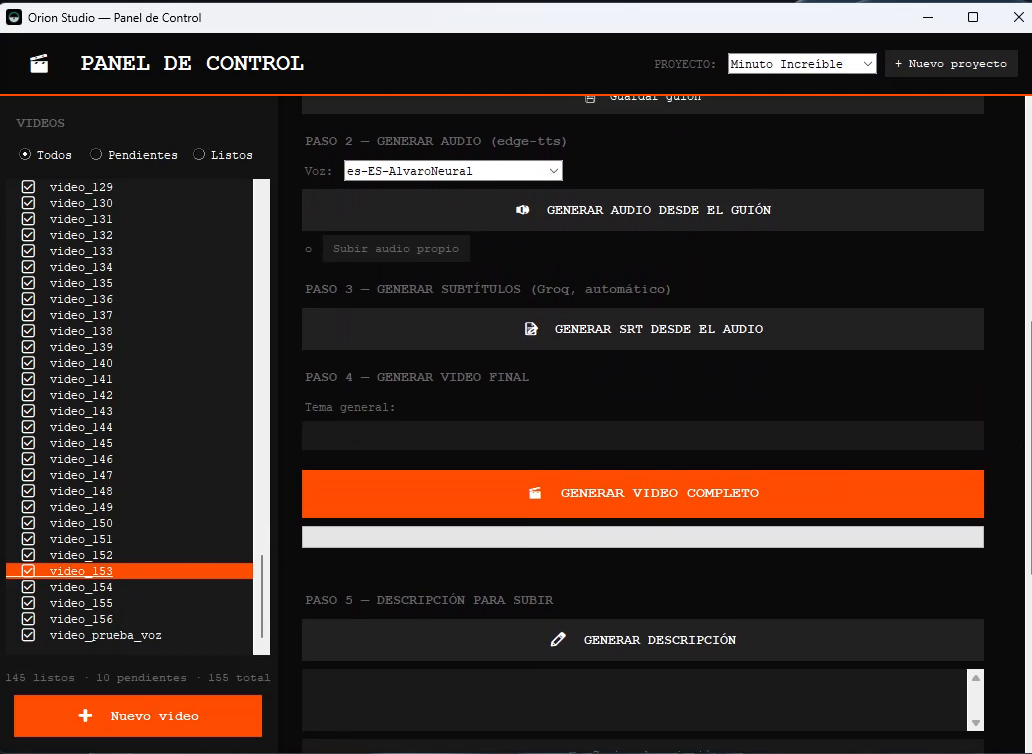
How account connection works
Orion Studio never asks for your social media password. When you connect an account, the application opens the platform's own authorization page in your browser — for example, TikTok's OAuth consent screen. You log in there and review the permissions being requested. If you approve, the platform issues an access token, which is written to a file on your own computer and used only to upload the videos you choose to publish.
- Nothing is posted without an explicit action from you.
- The application does not read, collect or store other users' content or personal data.
- Your videos, scripts and tokens are never sent to us.
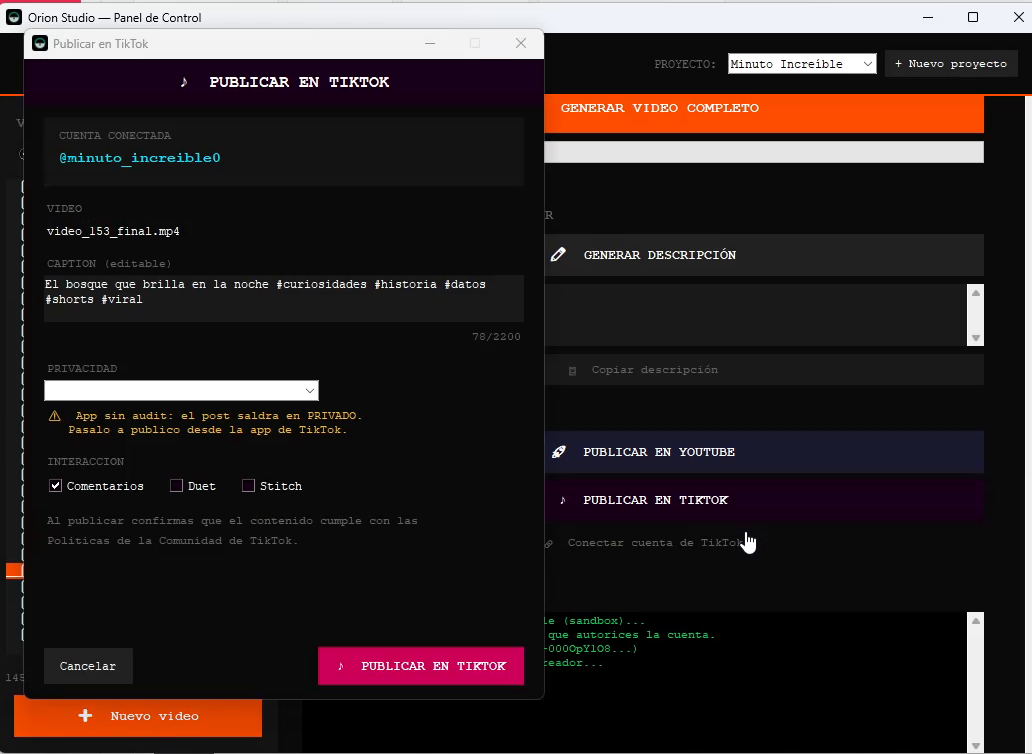
Who it is for
Orion Studio was built for creators who publish short videos regularly and want the repetitive parts of production — narration, subtitles, formatting, rendering and uploading — handled consistently, so their time goes to the ideas and the writing instead.